Introduction
A queue-management system depends on one very small output: the customer’s ticket.
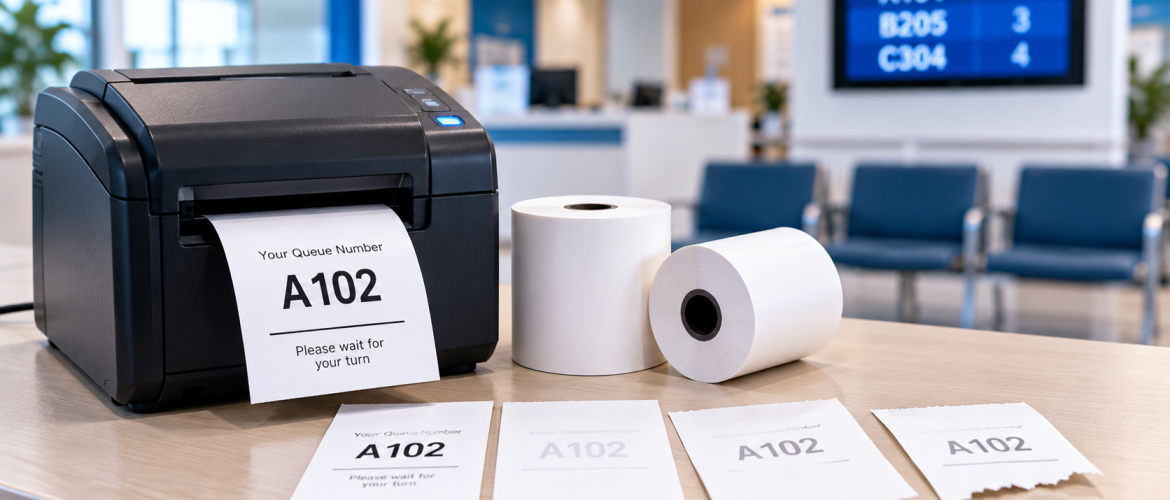
If the ticket is blank, faint, cut incorrectly or difficult to read, customers may struggle to identify their queue number.
Organizations using token printer paper therefore need more than the correct paper specification. They also need a simple method for diagnosing printing problems when they occur.
DeMegha already has a dedicated article explaining how to choose token printer paper, including roll width, diameter, core, paper type and printer compatibility.
Rather than repeating that buying guide, this article focuses on troubleshooting problems after the paper is installed in the queue printer.
Problem 1: Why Is My Token Printer Producing Completely Blank Tickets?
Quick diagnosis: If the printer feeds paper but produces a blank ticket, check the paper orientation, paper type and printer condition first.
Possible causes include incorrect paper orientation, incompatible paper, a printer issue or the thermal coating facing away from the printhead.
If the queue printer uses thermal technology, the correct thermal surface must meet the printhead.
How to Check Paper Orientation
A thermal roll may look similar on both sides. That does not mean both sides react equally to heat.
Verify how the specific printer expects the queue printer roll to be installed.
Reloading the paper correctly may resolve a blank-output problem without changing the roll.
Problem 2: Why Is My Queue Ticket Printing Very Faint?
Quick diagnosis: Faint queue-ticket printing may result from paper condition, printer settings, printhead contamination or incorrect thermal compatibility.
First, determine whether the problem occurs on every roll, one roll, one printer or several printers.
This can help separate paper issues from machine issues.
Compare With an Approved Roll
Keep a known-working roll available for troubleshooting where practical.
If the approved reference roll prints clearly while a newly installed roll does not, the paper specification or condition should be investigated.
If both print poorly, printer maintenance may need attention.
Businesses using different types of thermal printing consumables, including thermal cash rolls, should ensure that each roll is compatible with its intended printing equipment.
Problem 3: Why Does Only Part of the Queue Token Print?
Quick diagnosis: Missing lines, blank strips, partial numbers or incomplete text may indicate printhead contamination or another printer-related issue.
A token may show missing lines, a blank strip, partial numbers or incomplete text.
Possible causes can include contamination or a printhead-related issue.
Follow the printer manufacturer’s recommended maintenance process rather than using unsuitable cleaning chemicals.
Problem 4: Why Does the Queue Ticket Feed at an Angle?
Quick diagnosis: Skewed feeding commonly requires checking roll alignment, paper width, roll edges and whether the printer compartment is properly closed.
Skewed feeding can affect print alignment, cutting and ticket appearance.
Check whether:
-
The roll is seated correctly.
-
The paper width matches the printer.
-
The roll edge is damaged.
-
The printer compartment is closed correctly.
Correct roll positioning can help maintain consistent queue-ticket printing and reduce unnecessary paper waste.
Problem 5: Why Does Token Printer Paper Jam Frequently?
Quick diagnosis: Repeated paper jams may be caused by incorrect roll dimensions, damaged paper, poor loading or obstructions in the paper path.
Repeated jams should not automatically be treated as normal.
Inspect the following:
-
Roll diameter
-
Roll width
-
Core size
-
Paper path
-
Roll shape
-
Cutter area
A roll that has been crushed during storage may no longer rotate correctly.
Problem 6: Why Do Queue Tickets Tear Instead of Cutting Cleanly?
Quick diagnosis: Poor cutting may result from paper misalignment, incorrect positioning, cutter wear or equipment maintenance issues.
If the queue printer includes an automatic cutter, poor cutting may relate to paper alignment, cutter condition, incorrect paper position or mechanical maintenance.
If multiple compatible rolls behave the same way, the printer should be assessed.
Problem 7: Why Are Queue Numbers Difficult to Read?
Quick diagnosis: Unclear queue numbers may result from faint printing, poor paper condition, incorrect settings or printer-related problems.
Readable numbers are essential in environments such as banks, hospitals, clinics, government service centres and customer service facilities.
If text appears too faint, troubleshoot immediately instead of continuing to issue unclear tickets.
How to Troubleshoot Token Printer Paper Problems Step by Step
When token printer paper produces blank, faint, skewed or poorly cut tickets, start by checking the roll’s orientation, dimensions and physical condition. Then compare the output with a known-good roll and inspect the printer.
The following checks can help identify whether the problem is related to the paper, printer or loading method.
Check the Printer Before Blaming the Paper
An important rule is that a paper problem and a printer problem are not the same thing.
A structured test can use:
-
The existing printer
-
Known-good approved paper
-
New paper
-
A second compatible printer, where available
Comparing results can help isolate the cause.
Businesses using different printing devices can also review DeMegha’s printers and scanners range when assessing their broader printing equipment requirements.
Check the Roll Specification Again
Even if a roll physically fits, confirm its width, diameter, paper type, core and printer compatibility.
DeMegha’s existing token-paper guide specifically recommends checking these dimensions rather than buying solely on the description “token roll.”
Organizations managing several paper types should also distinguish queue ticket rolls from other products, such as a plain and printed thermal paper roll, to avoid specification errors.
Check Storage Conditions
Queue ticket rolls should be protected before use.
Avoid unnecessary exposure to heat, moisture, sunlight, dirt and crushing.
Physical damage can contribute to feeding problems.
Businesses purchasing thermal paper consumables in bulk can review the product specifications offered by a thermal paper rolls supplier in UAE before ordering replacement stock.
Do Not Force an Oversized Roll Into the Printer
A roll that is too large may technically enter the compartment but still rub against the cover.
The roll needs enough space to rotate freely.
Keep Printer Compartments Clean
Dust and paper debris can accumulate over time.
Queue systems in high-traffic locations may process large numbers of tickets.
Maintenance schedules should therefore follow the equipment manufacturer’s recommendations.
Check After Every Roll Change
A quick post-change test can prevent a full queue of customers receiving poor tickets.
Print one test token and check:
-
Number readability
-
Print alignment
-
Paper feeding
-
Cutting quality
-
Paper movement
Create a Simple Troubleshooting Card
Branches can place a short instruction beside the printer to help employees identify common problems quickly.
| Printing Problem | Recommended First Check |
|---|---|
| Blank ticket | Check roll direction and paper type |
| Faint printing | Test approved paper and inspect printer |
| Skewed ticket | Reload and align the roll |
| Repeated paper jam | Check roll specification and shape |
| Poor cutting | Check alignment and cutter maintenance |
A simple troubleshooting reference can reduce unnecessary roll replacements and help staff respond consistently.
Record Recurring Problems
If the same issue happens repeatedly, record:
-
Printer model
-
Paper code
-
Batch or delivery details
-
Date of the issue
-
Description of the problem
-
Action taken
Patterns may reveal whether failures are linked to one printer, location or paper delivery.
When Should Staff Escalate Token Printer Problems?
Front-line employees should not repeatedly dismantle or modify equipment.
Escalate the issue when:
-
Paper jams continue after basic checks.
-
Cutter problems persist.
-
Printing remains faint with approved paper.
-
The printer displays an error.
-
Physical damage is visible.
Token Printer Paper Troubleshooting Checklist
Before replacing token printer paper or requesting printer maintenance, use this checklist:
Following these checks can help organizations identify common queue printer problems before ordering replacement rolls or requesting technical support.
Conclusion
When token printer paper produces poor queue tickets, the solution is not always to order another roll.
Blank output, faint printing, skewed feeding and poor cutting should be diagnosed systematically.
Checking paper orientation, roll condition, printer compatibility and equipment condition can help organizations resolve problems faster while maintaining readable customer queue tickets.
For businesses in the UAE that need compatible token printer paper or related thermal printing consumables, contact DeMegha to discuss roll specifications, quantities and supply requirements.
Frequently Asked Questions
1. Why Is My Token Printer Producing Blank Tickets?
Possible reasons include incorrect thermal-paper orientation, incompatible paper or a printer issue. Check the roll’s installation direction and confirm the required paper type.
2. Why Is Queue-Ticket Printing Faint?
Check whether the problem follows the paper roll or remains with the printer. Paper condition, printer settings or printhead condition may contribute to faint printing.
3. Can the Wrong Roll Width Cause Problems?
Yes. Incorrect width can interfere with feeding and alignment. Always confirm the printer’s required roll dimensions before installing new paper.
4. Should I Test a Known-Good Roll?
Yes. Comparing with an approved working roll can help isolate whether the problem is related to the paper or printer.
5. Why Does Token Paper Jam?
Possible causes include incorrect dimensions, damaged rolls, poor loading or problems within the printer’s paper path.
6. Should Every Roll Change Be Tested?
A quick test ticket can confirm printing, feeding and cutting performance before normal queue operations resume.