Introduction
A thermal paper roll can meet the correct printer specification and still perform poorly if it has been stored or handled incorrectly.
This is particularly important for businesses that purchase POS thermal rolls in bulk.
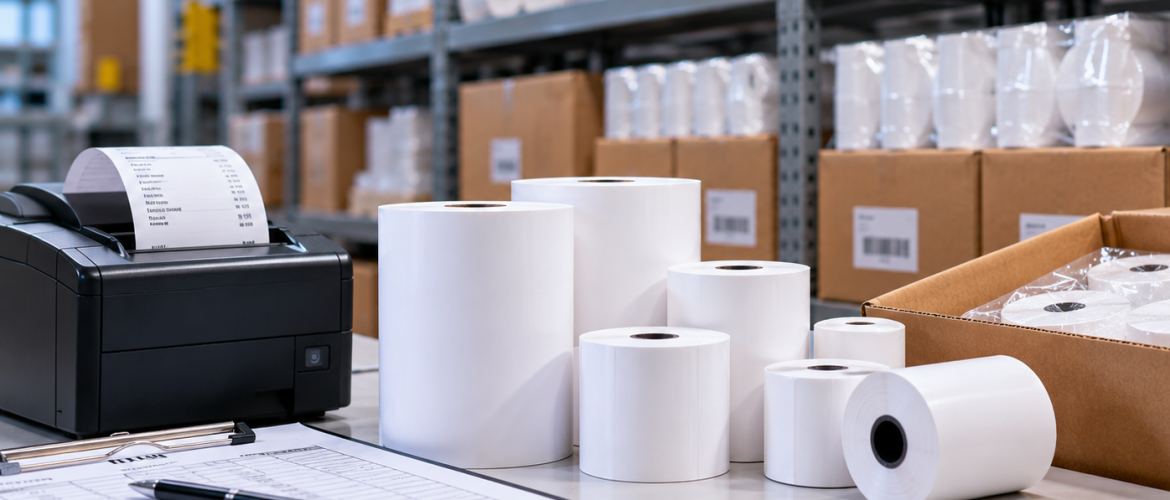
Retail stores, restaurants, pharmacies, supermarkets and other high-volume businesses may keep several cartons of receipt rolls in storage before they are used.
During that period, the rolls can be exposed to heat, sunlight, moisture, dust, pressure or physical damage.
DeMegha already publishes guidance on choosing thermal paper rolls and matching them to POS printers. Its current thermal-paper range also includes rolls for POS machines, billing systems, ATMs and receipt printers.
This article focuses on a different stage of the process: what happens to POS thermal rolls after they arrive at your business and before they enter the printer.
How Should POS Thermal Rolls Be Stored?
Store POS thermal rolls in a clean, dry, stable indoor area away from excessive heat, direct sunlight and moisture. Keep unused rolls packaged, protect cartons from crushing, separate stock by printer specification and rotate approved inventory using the First In, First Out (FIFO) method where appropriate.
These simple practices can help maintain consistent receipt printing and reduce unnecessary paper waste.
Why Storage Matters for Thermal Paper
Thermal paper is different from ordinary paper. Its printable surface contains a heat-sensitive coating.
During normal printing, the thermal printhead applies controlled heat to create the text or image. That also means uncontrolled environmental conditions can affect the paper before it is used.
Poor POS paper storage can lead to:
-
Discolouration
-
Damaged roll edges
-
Contamination
-
Uneven feeding
-
Reduced print quality
-
Unnecessary roll waste
Keep POS Thermal Rolls Away From Excessive Heat
Heat is especially relevant in UAE storage environments.
Receipt-roll cartons should not be kept unnecessarily close to windows receiving direct sunlight, hot machinery, warehouse roofs with strong heat buildup, vehicle interiors or heating equipment.
Where possible, thermal receipt paper should be kept in a stable indoor storage environment.
Avoid Direct Sunlight
Direct sunlight can expose thermal paper to both heat and light.
Instead of leaving rolls on an open shelf beside a window, keep them in suitable cartons or enclosed storage until required.
This can also reduce dust exposure.
Protect Rolls From Moisture
Storage areas should remain dry.
Moisture can affect paper and packaging and may create feeding problems if rolls become damp or distorted.
Avoid placing cartons directly on floors where they may encounter cleaning water, leaks, condensation or general warehouse moisture.
Keep Rolls in Their Packaging Until Needed
Removing thermal rolls from their packaging long before use increases exposure to dust, handling, light and surface contamination.
A practical approach is to open cartons as needed and keep unused rolls protected.
Avoid Crushing the Rolls
POS thermal rolls are designed to feed smoothly through a printer.
If cartons are stacked poorly or heavy items are placed on top of individual rolls, the circular shape can become distorted.
A damaged roll may rotate unevenly, rub against the printer compartment or feed inconsistently.
Protect Roll Edges
The sides of the roll should remain clean and undamaged.
Rough handling can crush or deform an edge. This may interfere with smooth rotation inside compact POS printers.
Warehouse and store teams should avoid throwing or dropping cartons of receipt paper.
Store the Correct Roll With the Correct Printer Group
Businesses with several POS systems may use different roll dimensions. Mixing these specifications creates unnecessary errors.
Separate receipt paper stock according to printer model, roll width, roll diameter, core, branch or department.
Clear shelf labeling can make this easier.
Where several devices are in use, keep an approved compatibility list for POS printers and scanners alongside your paper stock records.
Use an Internal Roll Code
Instead of asking employees to find receipt paper, businesses can create an internal stock code.
For example, POS-80-001 could identify one approved roll specification, while POS-57-002 could identify another.
The exact naming system is less important than consistency.
Use FIFO Where Appropriate
A simple First In, First Out (FIFO) approach can help keep older approved stock moving.
New deliveries should not automatically be placed in front of older cartons.
Good stock rotation reduces unnecessarily long storage periods.
Avoid Overstocking Without a Reason
Bulk buying can simplify procurement, but excessive inventory can create storage problems.
Before placing a large order, review the number of POS terminals, average consumption, supplier lead time, storage capacity and branch requirements.
The objective is to maintain enough stock without creating unnecessary long-term storage.
This applies to both standard POS receipt rolls and thermal cash rolls.
Train Staff to Load Rolls Correctly
Not every receipt-printing problem is caused by the paper itself.
Incorrect loading can result in blank output, paper-feed problems or misaligned receipts.
The roll should be installed according to the printer manufacturer’s instructions.
Check the Printable Side
Thermal paper prints on the coated side.
If the roll is installed incorrectly in a printer that requires a specific feed orientation, output may not appear as expected.
This should be checked before assuming the roll is defective.
The same handling principles apply to standard receipt stock and printed thermal paper rolls, although businesses should also protect any pre-printed branding or information from damage.
Do Not Touch Rolls With Dirty or Oily Hands
Employees working near food preparation, mechanical equipment or cleaning products may have contamination on their hands.
Keeping paper surfaces clean can help preserve print consistency.
Keep Spare Rolls Near the POS — But Not Everywhere
Fast-moving counters often need spare stock nearby.
That is practical, but avoid storing large quantities under sinks, near cooking equipment, beside windows, on floors or near cleaning chemicals.
A small protected reserve is usually better than uncontrolled storage around the checkout area.
Inspect Rolls When They Arrive
When receiving bulk POS thermal rolls, check carton condition, roll dimensions, packaging integrity, roll shape, quantity and product code.
This helps identify transport or specification problems before stock is distributed.
Keep a Reference Roll
For businesses with multiple branches, maintaining one approved reference roll can help staff compare future deliveries.
The reference can show width, diameter, core and general construction.
Branch-Level Stock Control
Multi-location businesses can assign each branch minimum stock, maximum stock and a reorder level.
This prevents one branch from holding excessive inventory while another runs short.
Signs That Stored Rolls Should Be Checked
Inspect stock if you notice crushed rolls, water-damaged cartons, unusual paper colour, contamination, damaged edges or rolls that no longer rotate evenly.
Do not automatically load visibly damaged stock into a printer.
POS Thermal Roll Storage Checklist
Before storing bulk POS thermal rolls, make sure the following conditions are met:
-
Dry location
-
No direct sunlight
-
No excessive heat
-
Rolls remain protected
-
Cartons are not crushed
-
Specifications are separated
-
Stock is rotated
-
Inventory quantities are recorded
Conclusion
Correctly choosing POS thermal rolls is only part of maintaining reliable receipt printing. Storage and handling also matter.
Businesses purchasing rolls in volume should protect them from heat, sunlight, moisture, dust and physical damage while maintaining clear inventory control.
Simple storage standards can help protect print quality and reduce avoidable paper waste before the roll ever reaches the POS printer.
For bulk POS thermal rolls or help confirming the right roll specification for your UAE business, contact DeMegha to request a quote.
Frequently Asked Questions
1. How should POS thermal rolls be stored?
Keep them in a clean, dry location away from excessive heat, direct sunlight and moisture.
2. Can heat affect thermal receipt paper?
Thermal paper is heat-sensitive, so unnecessary exposure to high temperatures should be avoided.
3. Should thermal rolls remain packaged?
Keeping unused rolls protected in their packaging can reduce dust, light and handling exposure.
4. Can crushed rolls cause printer problems?
A distorted roll may rotate or feed poorly inside the printer.
5. Should different POS roll sizes be stored separately?
Yes. Separating approved specifications reduces the chance of employees loading the wrong paper.
6. Is FIFO useful for thermal-paper stock?
It can be useful for rotating older approved stock before newer deliveries.